CTR Tool Mistakes That Undermine Session Duration
Your CTR campaign looks fine until session duration tells a different story. A visit that lasts seconds can flag setup errors you never noticed, and those errors quietly shape every engagement metric you report.
This article explains what CTRTool controls, how visit duration settings work, and which setup mistakes shorten sessions. You will learn to spot keyword and landing page mismatches, desktop versus mobile selection errors, and overlooked location or daily search count settings before they distort your data.
What Is CTRTool and What Does It Actually Control?
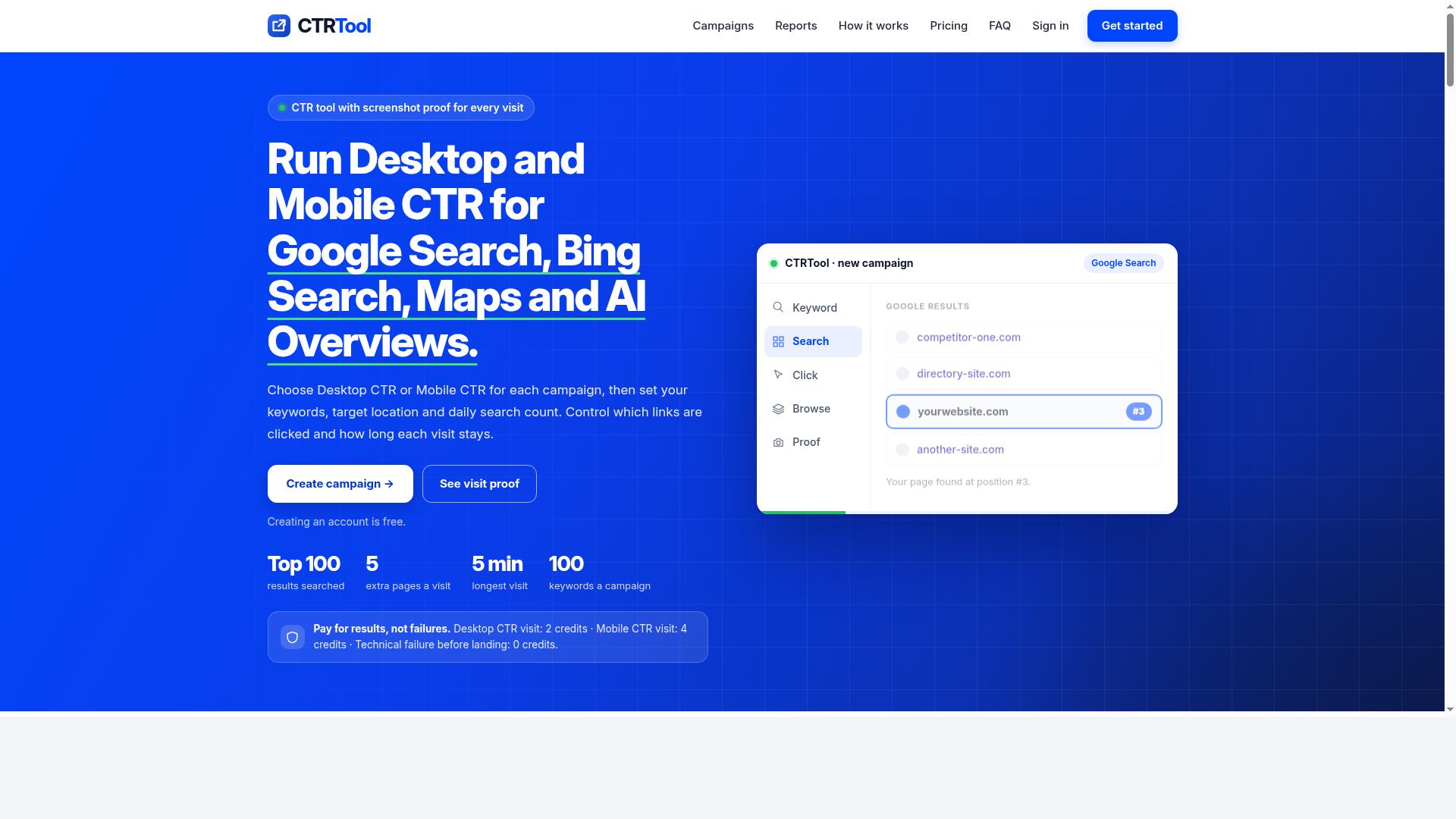
CTRTool is a CTR campaign tool that lets you send real, screenshot-verified visits to your chosen pages for specific keywords on Google Search, Bing Search, Google Maps, and AI Overviews. In short, it works on the click and visit layer of SEO: the part of the funnel where a page earns a click from a search result and receives a visitor.
Each campaign targets a keyword where your page already ranks in the top 100. You choose the location and device for those visits, and the tool records proof for every one. It is positioned as a CTR tool with screenshot proof for every visit, and campaigns can be set to Desktop or Mobile CTR depending on the surface you want to influence.
Proof comes as separate images. Every visit includes a search screenshot and a landing screenshot, so you can see the result that was clicked and the page that loaded. That documentation is what separates a measured CTR campaign from blind traffic buying.
What CTRTool does not control matters just as much. It does not write or improve your content, it does not fix page experience, and it does not decide what a visitor does after landing. Those outcomes depend on your page, your offer, and how well the content matches search intent. The tool governs the click and visit layer only, which is exactly why misconfigured campaigns can quietly undermine session duration later.
Do CTR Tool Mistakes Really Undermine Session Duration?
Yes. Setup mistakes in a CTR tool can shorten session duration because they send visits that are technically counted but do not match what real searchers expect when they land. Session duration is a downstream metric. It reflects who visits, why they click, and what they find on the page.
A CTR tool controls the entry point of a visit. It decides which keyword triggers the click, which device carries the session, and where the visitor appears to come from. When any of those signals clash with the landing page, the result is an instant exit or a quick pogo-stick back to the results page.
The logic is simple: mismatched visits inflate the click count while dragging down engagement metrics. The subsections below show how CTRTool's settings work and where campaign errors create that mismatch.
How CTRTool's Visit Duration Settings Work
CTRTool lets you set the duration of each visit in the campaign configuration, so you can control how long the tool stays on the landing page before ending the session. Visits are not instant bounces by default. The configured time holds the session open, which is why the number you choose matters.
Duration should be realistic for the page type. A product page might warrant 30 to 90 seconds, while a long-form guide could justify 2 to 4 minutes. The setting should mirror how a genuine reader would behave on that specific page.
Avoid setting uniformly long durations across every campaign. Sessions that all run suspiciously long look unnatural and can appear manipulative. Variety that matches content type reads as normal behavior.
Duration also interacts with device choice. CTRTool delivers visits through Desktop Chrome windows and real Android phone sessions matched to the target location via managed proxy routes. Mobile sessions often run shorter than desktop ones, so the same duration value can look off on one device and fine on another.
Keep the five-minute ceiling in mind too. Visits can total up to five minutes, and up to five additional pages can be included per visit, which lets you shape a fuller path rather than a single stop.
Where Campaign Setup Errors Hurt Engagement Metrics
Setup errors hurt engagement metrics at three points: keyword selection, device targeting, and location settings. Each can create a mismatch between the visit and the page's actual audience. All three are preventable through a review before launch.
- Keyword selection: choosing a broad head term when the landing page serves a narrow long-tail intent leads to instant exits. The visitor arrives expecting one thing and finds another.
- Device targeting: sending mobile visits to a desktop-only layout spikes bounce rate. The page may load poorly or be hard to use on a phone, so the session ends fast.
- Location settings: targeting a country where the offer is unavailable produces disappointed users who leave immediately. CTRTool supports country, state, and city targeting, or Any country, so the scope is easy to set wrongly if you rush it.
These failures share a root cause: the visit does not match what real searchers expect. Keyword relevance, device fit, and geographic availability all feed into traffic quality. When one is off, the click still registers but the session collapses.
Reviewing keyword intent, device, and location together before a campaign goes live catches most of these problems early. The next sections cover the specific fixes in detail.
Common CTR Tool Mistakes That Shorten Session Duration
The most damaging CTR tool mistakes are not technical failures. They are targeting and configuration choices that send the wrong visitor to the right page, or the right visitor to the wrong page.
These pitfalls tend to surface once practitioners scale campaigns, because each new keyword, device mix, and location multiplies the chances of a mismatch. A setup that looks fine on a single test campaign can quietly erode session duration across dozens of them.
The four categories below cover the mistakes that appear most often: keyword and page mismatch, device selection errors, location and daily search count oversights, and skipping the review of proof after launch. Each one is fixable, but only if you know where to look before the campaign goes live.
Mismatched Keyword and Landing Page Targeting
Targeting a keyword whose search intent does not match the landing page's content is the fastest way to generate visits that end in seconds. Searchers arrive expecting one thing and find another, so they leave before dwell time has a chance to build.
A transactional query such as "buy running shoes" should land on a product or category page. Send it to a blog post about running tips and the visitor has no way to complete the task they came for. The expected outcome is a short session and a fast exit.
Informational queries fail in the opposite direction. Someone searching "how to clean running shoes" who lands on a checkout page faces an expectation gap and typically bounces straight back to the results. Two concrete mismatches, two predictable short sessions.
Before launching, audit each keyword-page pair. Check the top 10 organic results for the keyword and confirm the page type you plan to use matches what already ranks there. If most results are category pages, a blog post is the wrong choice.
CTRTool campaigns do require the page to appear within the top 100 organic results for the chosen keyword and location, so the page is already somewhat relevant. But relevance to the query is not the same as relevance to the searcher's task. Search intent is the test that matters.
Ignoring Desktop vs Mobile CTR Selection
Choosing the wrong device type for a campaign creates a user-experience mismatch that shows up as shortened sessions and higher bounce rates. CTRTool asks you to select Desktop CTR or Mobile CTR per campaign, and that choice should mirror the device mix of the page's real audience.
A simple rule of thumb: check analytics for the page's existing desktop and mobile split, then match the campaign ratio to it. If most of the page's genuine visitors arrive on phones, a desktop-heavy campaign creates a visitor profile that does not reflect reality.
The failure mode is easy to picture. Mobile visits sent to a page with a poor mobile layout, or to a desktop-only checkout, produce immediate exits. The visitor lands, struggles with the interface, and leaves. User experience breaks before engagement can register.
Device also shapes duration expectations. Mobile sessions are typically shorter than desktop ones, so duration settings should differ by device rather than sharing one blanket value. A target that looks natural on desktop can look implausible on a phone.
CTRTool delivers campaigns through Desktop Chrome windows and real Android phone sessions matched to the target location through managed proxy routes. That makes the device selection a real decision, not a formality. Pick the device that fits the audience, then let the session settings follow.
Overlooking Location and Daily Search Count Settings
Location and daily search count settings determine whether your visits look like a plausible local audience or an obvious anomaly that both users and algorithms can detect. Both settings are easy to leave at default, and both quietly shape engagement metrics.
CTRTool lets you target a country and optionally a state and city, or choose "Any country" to use a mix of supported locations. Mismatching location to the offer guarantees short sessions. Targeting a country where the service is unavailable means every visitor arrives to find nothing they can use.
A concrete example: a local service page should target its city, not the entire country. Spreading a city-level offer across a national audience produces visitors with no reason to stay, and the traffic quality signal suffers with them.
Daily search count matters just as much. Spreading visits across a realistic daily volume avoids sudden spikes that look like click farm activity. Ramp gradually and align the count with the keyword's actual search volume, so the pattern resembles organic SERP behavior.
CTRTool supports daily search counts with now, spread out, or gap timing, along with days, hours, and time zone settings. Daily goals reset at 00:00 UTC, so plan around that boundary. These settings protect both engagement metrics and campaign credibility.
Not Reviewing Screenshot Proof and Visit Paths
Skipping the proof review means you never learn whether visits actually landed on the intended page, stayed for the configured duration, or followed a plausible path. CTRTool provides screenshot proof for every visit, with search and landing screenshots delivered as separate images, plus full visit paths. That evidence is only useful if someone opens it and checks.
Without that check, a campaign can run for weeks on settings that look correct in the dashboard while the underlying visits tell a different story. Session duration then suffers quietly, and you have no way to trace why.
Make the first review early. After the first 24 to 48 hours of a campaign, pull a sample of visits and confirm three things:
- The search screenshot shows the correct keyword and the intended location.
- The landing screenshot shows the right page, not a redirect or a generic homepage.
- The visit path matches the flow you configured, including the internal pages you expected.
A bad proof is easy to spot once you know what to look for. Common warning signs include a landing page that does not match the target keyword, a visit path with missing internal navigation, or a recorded duration far below the setting you chose. Each of these points to a mismatch between what you configured and what actually happened.
That mismatch matters because session duration and dwell time are the metrics most likely to expose it. A visit that lands on the wrong page and leaves quickly drags down engagement metrics and can raise bounce rate, even though nothing in the campaign setup appeared to change.
Rather than auditing once and moving on, treat proof review as a recurring habit. A weekly proof audit catches configuration drift, expired targets, and path errors before they accumulate across a long campaign. It also gives you a record you can compare week to week.
The habit is simple to sustain: sample a handful of visits, check the two screenshots against the keyword and page you intended, and confirm the path. If everything lines up, the campaign is doing what you asked. If it does not, you have found the problem while it is still cheap to fix, instead of discovering it in a flat session duration report weeks later.
How CTRTool's Proof and Tracking Features Help You Catch Mistakes
CTRTool's proof and tracking features turn campaign mistakes into visible, fixable data points rather than invisible engagement leaks. When session duration falls, the tool gives you evidence to examine instead of a single aggregate number that hides the cause. That evidence is what separates a guess from a diagnosis.
The tracking layer runs continuously. Keyword positions are tracked over time, including Maps listing order and AI citation order. That timeline lets you line up ranking movement with campaign changes, so you can see whether a shift in position happened before or after a settings edit.
The proof layer runs on every visit. Each visit produces search and landing screenshots as separate proof images, along with the full visit path. Because proof covers every visit, you can audit a random sample instead of trusting a summary report that may smooth over anomalies.
Together, these two layers answer a question that engagement metrics alone cannot: did session duration drop because of a targeting shift or a page change? The position tracker shows whether different keywords and locations started receiving visits. The screenshots show what those visitors actually saw. Comparing the two isolates the cause.
This is a diagnostic workflow, not a review checklist. A checklist asks whether proof exists. A diagnostic workflow asks what the proof proves when a number moves in the wrong direction. CTRTool is built for the second question.
The credit model also keeps the data honest. There is no charge for technical failures before landing, and visits that cannot verify the requested location use no credits. That means the visits you audit are the visits that actually counted, so your sample reflects real delivery rather than failed attempts.
The verdict is straightforward. CTRTool is a legitimate tool for catching the mistakes that quietly erode session duration, because it gives you dated position history and per-visit screenshot proof rather than a single blended metric. When engagement dips, you can trace it, confirm it, and fix it. That is the difference between managing a campaign and hoping it works.
Pricing and Plans: Matching Credits to Realistic Campaign Volume
CTRTool prices campaigns in monthly USD plans based on credits, and the credit-to-visit ratio differs by device type, so plan selection should start with your realistic visit volume. Getting this wrong is one of the quieter mistakes that hurts session duration: an undersized plan forces you to ration visits, while an oversized plan burns budget before your settings are proven.
The core logic is simple. A Desktop CTR visit costs 2 credits, while a Mobile CTR visit costs 4 credits. That means a mobile-heavy campaign consumes credits twice as fast as a desktop one, and the plan you pick needs to reflect that mix.
| Plan | Monthly Price | Credits | Up to Desktop Visits | Up to Mobile Visits |
|---|---|---|---|---|
| Starter | $59 | 2,000 | 1,000 | 500 |
| Growth (Recommended) | $125 | 5,000 | 2,500 | 1,250 |
| Scale | $399 | 20,000 | 10,000 | 5,000 |
| Agency | $699 | 40,000 | 20,000 | 10,000 |
Two other credit costs matter for planning. A verified search without a match costs 1 credit, and a technical failure before landing costs 0 credits, so failed attempts do not silently drain your allowance.
Before choosing a plan, calculate expected monthly visits from your keyword list and your intended daily search count. Multiply daily clicks by 30, then apply the device split: a campaign targeting 800 mobile visits a month needs 3,200 credits, which rules out Starter. Run that number against the table rather than guessing.
Starting on the smaller plan while you test settings is the safer path. If your titles, keywords, and audience targeting are not yet dialed in, more credits simply means more automated clicks spent on a configuration you may change. Prove the campaign sustains session duration first, then scale up.
Overbuying carries a second risk beyond wasted spend. Unused credits roll over while your subscription is active but expire when cancellation takes effect, so a large prepaid balance is only an asset if you intend to keep the plan running. Match credits to a volume you can actually use.
Creating an account is free, which makes it easy to explore before committing. Note also that prices are scheduled to rise 30% on November 15, so the current rates reward planning now rather than later.
Who Should Use CTRTool for Session-Duration-Safe Campaigns
CTRTool fits SEO practitioners and agencies who run CTR campaigns for their own or client sites and who are willing to invest time in targeting and proof review to protect session duration. It is built for people who already understand how search intent shapes engagement, not for those hoping a tool will replace that judgment.
The platform supports campaigns across Google Search, Bing Search, Google Maps and AI Overviews. That spread matters because each surface carries different user expectations. A Maps click and an AI Overview click rarely land on a page with the same intent, so the practitioner must adapt page choice and device targeting per surface rather than copy one setup everywhere.
The ideal user is an SEO professional or agency managing multiple properties who can match keywords to pages that genuinely satisfy the query. They read analytics before choosing devices, align location targeting to the offer, and treat every campaign as a hypothesis to be checked rather than a switch to leave running.
Session-duration-safe campaigns depend on four habits. Without them, even well-built targeting drifts toward pogo-sticking and inflated bounce rate.
- Intent-matched keyword-page pairs: the landing page must answer the query, not just rank for it.
- Device selection based on analytics: send clicks to devices where real users already convert and stay.
- Location targeting aligned to the offer: geo settings should reflect where the service or product is actually relevant.
- A weekly proof audit: review engagement metrics and SERP behavior, then pause or adjust weak pairs.
These are operational disciplines, not product features. CTRTool provides the campaign surface; the practitioner supplies the intent mapping and the review cadence that keep dwell time credible.
Some practitioners should not use CTRTool for this purpose. Anyone seeking set-and-forget volume without review will undermine session duration quickly, because unreviewed automated clicks tend to land on pages that cannot hold attention. The same applies to those targeting pages that cannot satisfy the keyword's intent, such as a thin category page aimed at an informational query.
Compliance judgment also sits with the user. The site's guidance references tier links, PBNs and test properties, so agencies working with client sites should apply their own policies, disclosure rules and risk tolerance before adopting any of those tactics. CTRTool does not remove that responsibility.
Used with discipline, the tool supports campaigns that keep engagement metrics believable. Used without it, the same tool can produce click patterns that look like click fraud to analytics platforms and erode trust in the data.
Final Verdict
CTRTool can support session-duration-safe CTR campaigns, but only when the operator treats setup and proof review as part of the campaign rather than an afterthought. The platform itself supplies the raw material for careful work: proof for every visit, full visit paths, keyword position tracking, and per-campaign device selection. What it cannot do is correct a careless configuration after the fact.
The strengths are worth stating plainly. Screenshot proof for every visit gives you a verifiable record instead of a vague claim. Full visit paths show how a visitor moved through the page rather than just that a click occurred. Keyword position tracking covers standard results, Maps, and AI citation order, which matters because placement in each surface behaves differently. Desktop and Mobile selection per campaign lets you match the device profile to the keyword rather than guessing.
The risks sit almost entirely on the operator's side. Mistakes in keyword-page matching, device selection, location, and daily search count each shorten sessions in a predictable way. A mismatched landing page produces instant exit. A wrong device or location creates a visitor profile that does not fit the query. An inflated daily search count pushes volume past what the keyword can absorb naturally. None of these are tool defects, and all of them are avoidable.
That leaves the operational requirement, which is where disciplined practitioners separate themselves. Two habits do most of the work:
- Weekly proof audits. Review screenshots and visit paths on a fixed schedule, not only when a ranking drops. Patterns in short sessions surface faster when you look at them consistently.
- Credit planning. Map spend against the keywords and surfaces that actually hold their sessions. The pricing table earlier in this article shows the tiers, so there is no need to repeat them here.
For the disciplined SEO practitioner, the recommendation is straightforward. CTRTool is a legitimate option for CTR manipulation when you treat keyword relevance, device and location settings, and daily search count as decisions that carry consequences for engagement metrics. Pair it with weekly proof review and sensible credit planning, and the setup supports the session duration you are trying to protect.
For support questions, the contact listed in the FAQ is vaibhav@autoblogging.ai. The official website is ctrtool.com, where the Sign in, Create an account, Support, Terms of use, and Legal notices pages are available.
Frequently Asked Questions
What are the most common CTR campaign mistakes that hurt session duration?
The biggest culprits are sending visits to thin or irrelevant landing pages, targeting keywords the page doesn't genuinely satisfy, and mismatching device type to the page's design. These create quick bounces that drag down session duration. With CTRTool, you can review the full visit path and screenshot proof for each visit, so you can spot where sessions break down and fix the page or targeting before scaling the campaign.
How can I tell whether a drop in session duration is caused by my CTR campaign or by my page?
Start by checking the actual visit paths and landing screenshots CTRTool records for every visit. If visitors land on the intended URL and still leave quickly, the issue is usually page relevance or content quality rather than the campaign setup. If the screenshots show the wrong page, wrong device type, or an unexpected result, the campaign configuration is the place to fix.
Does choosing Desktop or Mobile CTR affect session duration?
Yes, device mismatch is a frequent and avoidable problem. If your page is optimized for desktop but you run Mobile CTR visits, or vice versa, visitors get a poor experience and leave sooner. CTRTool lets you choose Desktop CTR or Mobile CTR per campaign, so you can align the device type with how your page actually performs.
Why does keyword and location targeting matter for session duration?
Visits only count when your page appears within the top 100 organic results for the chosen keyword and location, so loose targeting attracts visitors whose intent doesn't match your content. That mismatch shows up as short sessions. CTRTool lets you set keywords and target a country, and optionally a state and city, to keep visits aligned with the audience your page is built for.
How do I use CTRTool's screenshot proof to improve session duration?
CTRTool provides search and landing screenshots as separate proof images, plus full visit paths and keyword position tracking over time. Reviewing these lets you confirm visitors reach the right page in the right position and identify pages that consistently produce short sessions. You can then adjust landing content or campaign settings and compare results on later campaigns.
Do Maps and AI Overview campaigns need different handling to keep sessions long?
They do, because each has its own requirements. Maps campaigns check up to 50 listings (about five pages) and click the listing's website, while AI Overview campaigns need a matching source link. If the linked page doesn't deliver what the listing or citation promises, sessions end quickly. CTRTool tracks Maps listing order and AI citation order over time so you can verify placement and refine your approach.