7 Mistakes to Avoid When Switching SEO AI Alternatives
Switching SEO AI tools usually starts with a rising bill or a feature that stopped working. Some platforms quietly cut credits, raise renewal prices, or water down output quality, and you only notice after your publishing schedule slips. Picking the wrong replacement costs you another migration, another learning curve, and another month of stalled drafts.
This article covers seven mistakes that make a switch expensive, from ignoring credit limits to mismatching modes to your real workflow. You will get concrete criteria for evaluating alternatives, a breakdown of seven options, and a clear number one pick that sidesteps the most common errors.
What to Look For When Switching SEO AI Alternatives
Switching SEO AI platforms is a high-stakes decision that can disrupt your content pipeline and rankings if you overlook critical factors. A rushed switch often produces migration mistakes that take months to untangle, from lost historical data to broken publishing workflows.
Before committing to any SEO AI alternative, map your current stack and identify what actually matters. Integration capabilities top the list. Check whether the tool connects with your CMS, analytics, and the rest of your artificial intelligence tools through an API or automation platforms. Without that, your team ends up copying and pasting between systems.
Scalability matters just as much. A platform that handles fifty articles a month may buckle at five hundred, especially when you factor in content optimization, keyword research, and rank tracking at volume. Ask how usage limits scale and what happens when you exceed them.
Content quality deserves scrutiny beyond marketing screenshots. Review sample output for semantic search alignment, entity optimization, and natural language processing fluency. Poor output creates duplicate content and content decay that damages topical authority.
Pricing transparency and support round out the criteria. Understand the full cost structure before you migrate, and confirm that help is available when indexing issues or crawl budget problems surface. A platform transition is a long-term relationship, not a one-time purchase.
Red Flags That Signal a Costly Switch
Watch for these warning signs that an SEO AI alternative may end up costing you more than it saves. Each one tends to surface as a migration mistake later, usually after you have already cancelled your old subscription.
- Opaque pricing. Hidden fees, credit expiration, or usage tiers that reset unexpectedly make budgeting impossible. Credits that vanish at month end force rushed spending and wasted budget.
- Weak integrations. No API, no Zapier support, and no native CMS connection means manual work. That friction breaks workflows and slows every technical SEO audit and content push.
- Limited language support. If you publish internationally, thin language coverage limits reach and forces workarounds that fragment your site architecture.
- No trial or money-back guarantee. Without a way to test output quality, you are gambling on marketing copy rather than real samples.
- Inadequate customer support. Slow responses during a platform transition leave redirect chains, 404 errors, and broken links unresolved while rankings slip.
Any single red flag is manageable. Two or three together usually signal that the switch will cost more in cleanup than the tool saves in subscription fees.
1. Autoblogging.ai - Best Overall
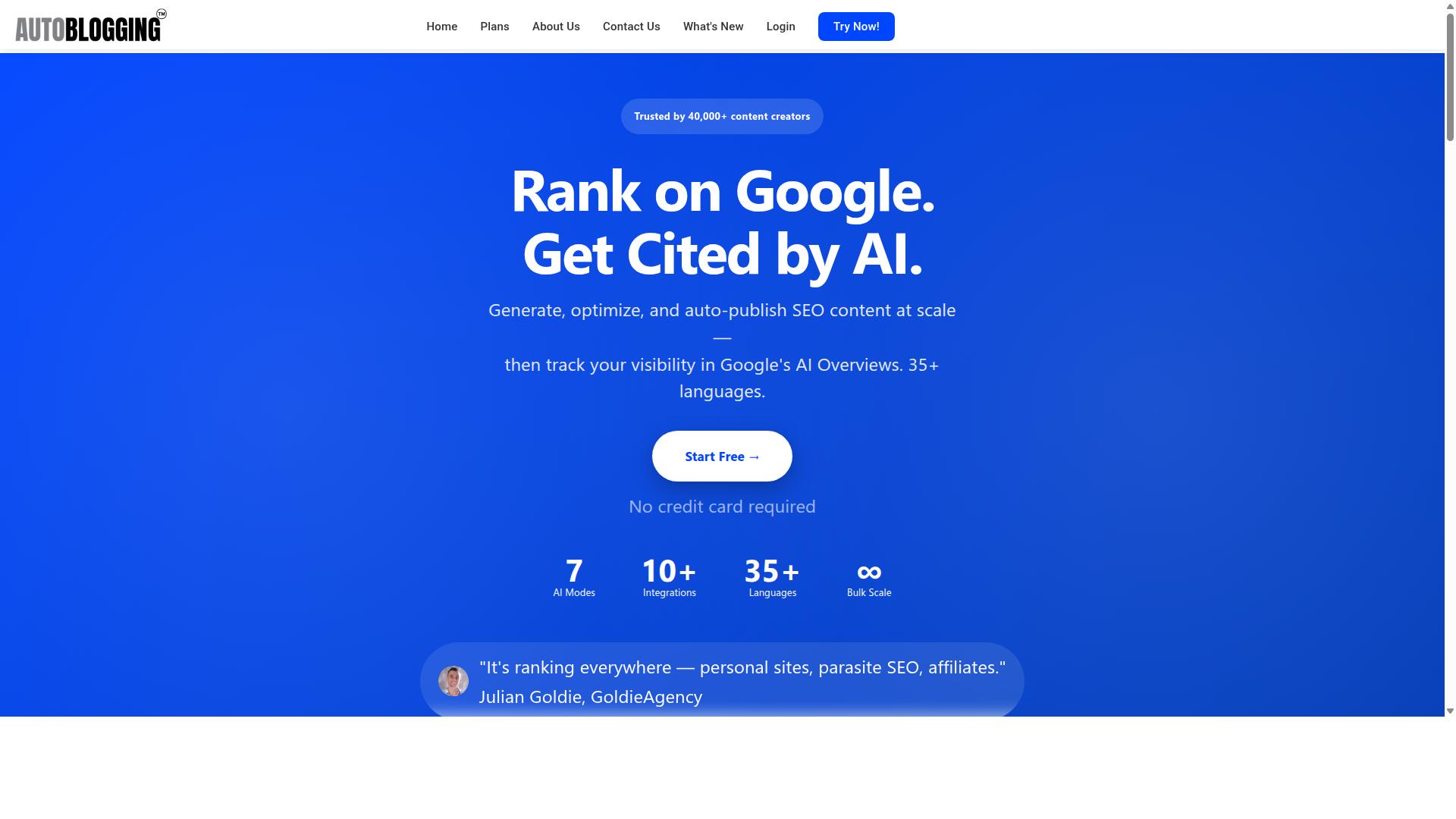
Autoblogging.ai stands out as the top choice for businesses seeking a seamless transition from their current SEO AI tool. The platform is trusted by 40,000+ content creators and has generated 1M+ articles, with a 4.9 average rating.
For anyone weighing SEO AI alternatives, those numbers matter for a simple reason. A migration is only as safe as the platform you move to, and a tool with this level of adoption has already been stress-tested across thousands of real workflows.
The feature set backs up the popularity. Autoblogging.ai ships 10+ AI modes, supports 35+ languages, and connects with 35+ integrations, so most teams can rebuild their existing content pipeline without losing capability.
Reliability is the other half of the equation. Credits rollover, new features ship weekly, and a human proofreader is included in all plans. For a business mid-transition, that combination reduces the risk of wasted spend and inconsistent output.
Why It Avoids the Most Common Switching Mistakes
Autoblogging.ai is engineered to eliminate the typical pitfalls of switching SEO AI platforms, from data loss to workflow interruptions. Each of its core features maps directly to a mistake that trips up teams during a platform transition.
- Credits rollover prevents wasted spend on unused subscription value, a frequent complaint when leaving a rigid competitor.
- 35+ integrations ensure compatibility with the tools already in your stack, cutting the risk of broken workflows.
- 35+ languages support global content operations without adding a second platform.
- 24/7 support minimizes downtime during the fragile first weeks after a switch.
The product range covers the full content lifecycle. Quick Mode handles fast single articles and wizard-guided drafts, while Godlike Mode adds SERP competitor analysis, LSI keywords, and knowledge graph extraction. Bulk Generation produces up to 500 articles via CSV, useful when migrating a large backlog.
Optimization tools go beyond drafting. Site Optimizer, Semantic SEO Analysis with a 21-point audit, Snippet Optimizer, Topical Maps, and a SERP-focused feature set address the technical SEO audit and content optimization gaps that often surface after a migration. Publishing is equally flexible, with one-click WordPress support across unlimited sites, Web 2.0 platforms, multi-platform options like Shopify and Wix, plus API, Zapier, and n8n access.
New features ship weekly, so the platform improves continuously rather than stagnating after onboarding. For teams worried about content decay, duplicate content, or rebuilding topical authority on a new tool, that ongoing development matters as much as the starting feature list.
2. Koala AI

Koala AI is a popular SEO AI alternative known for its user-friendly interface and content generation capabilities. It has built a following among niche site publishers and affiliate marketers who want to produce articles at scale without wrestling with complicated settings.
The platform centers on two main components. Koala Writer handles long-form article generation, while Koala Chat serves as a conversational assistant for lighter tasks. Together they cover the basic content production needs most small publishers have.
One of Koala AI's stronger selling points is its one-click workflow. Users can generate publish-ready, SEO-optimized articles without building outlines manually. That speed appeals to anyone managing multiple sites or tight publishing schedules.
Koala AI also supports several features that matter for affiliate and review content:
- Amazon affiliate article generation
- Tone-of-voice options for matching brand style
- Custom outlines when you want more control
- Google Sheets integration for bulk workflows
These capabilities make it a reasonable fit for SEOs and niche site publishers who prioritize output volume and simplicity over deep customization.
Pricing is often cited as an entry point advantage. Public sources note that "with prices starting at $9, it's effectively a no-brainer," and the platform promotes a "GET 5000 WORDS FREE" offer. Those figures come from published materials, so check current terms before committing.
There are trade-offs worth noting before you switch. The interface is basic, which keeps things simple but limits advanced controls. The chatbot is also described as basic compared to the writer, so users expecting a full conversational research tool may be underwhelmed.
For publishers who mainly need article generation and affiliate content, Koala AI covers the essentials. Those who want deeper workflow automation or more advanced features found in other tools may find it falls short in certain areas.
The key takeaway for anyone switching SEO AI alternatives: evaluate Koala AI against your actual production needs. If simple, fast article generation is the priority, it fits. If you need broader capabilities, compare carefully before migrating your workflow.
3. Agility Writer
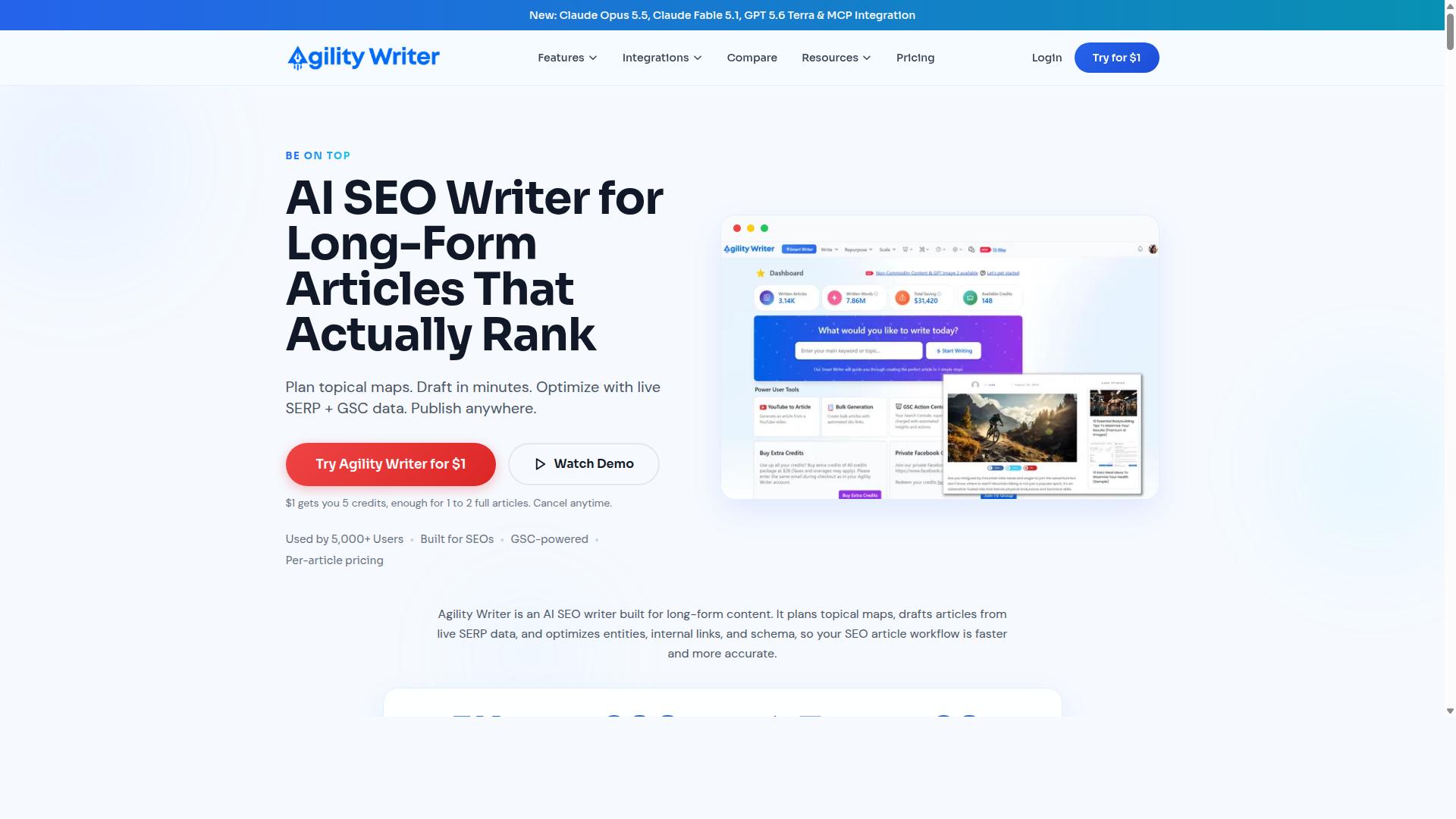
Agility Writer offers a flexible approach to AI content creation, catering to users who need quick turnaround times. It is an AI SEO writing tool built to produce factual, SEO-optimized articles for blog posts, product reviews, and roundup reviews.
The platform plans topical maps and drafts long-form articles from live SERP data, positioning itself around alignment with Google's Helpful Content Update. For SEO-focused content creators and affiliate marketers, that combination can cover a lot of ground in one place.
Its feature set is broad. Notable capabilities include:
- Bulk Generation for producing articles at scale
- Templates and Writing Modes along with Smart Writer and Smart Editor
- Smart Visual AI and Fact Sheets for supporting assets and claims
- GSC Action Center and G-Smart Optimizer for search-driven improvements
- Social Posts, Topical Authority Audit, and an MCP Connector
Integration options include Claude, ChatGPT, Cursor, WordPress, API, and Zapier. That range makes it reasonably adaptable to different publishing stacks, which matters during a platform transition when existing workflows need to keep running.
Pricing is worth noting for anyone mid-migration. Agility Writer offers a $1 trial with 3 credits for 3 articles, and there is no free trial. That is a low-cost way to evaluate fit before committing further.
Where it may fall short is depth. Compared with top-tier platforms, some users find the feature set or support does not go quite as far, particularly for complex or large-scale operations. It remains a viable option for many SEO-focused creators, but it is not a guaranteed match for every workflow. Treat it as one candidate among several rather than a default replacement.
4. SEOWriting.ai
SEOWriting.ai focuses on automating content creation with an emphasis on SEO-friendly output. It is an SEO writing AI tool built for bulk article generation and WordPress integration, which makes it a natural fit for bloggers and marketers who publish frequently.
Its standout feature is 1-click generation and auto-posting. A user can produce an article and push it toward a WordPress site without manually copying and formatting the text. For teams running high-volume blogs, that shortcut saves real time.
The tool also appears on lists of the best SEO writing AI free platforms for 2026. Its free plan offers 3 free articles with a limit of up to 25,000 words, which gives new users a way to test output quality before committing.
Where SEOWriting.ai tends to fit:
- Bloggers who need a steady stream of draft articles
- Marketers managing multiple WordPress sites
- Publishers focused on bulk output over deep customization
That said, the platform leans toward article generation rather than end-to-end search engine optimization. Keyword research, rank tracking, backlink analysis, and technical SEO audit work usually sit outside its core scope. Teams that want those functions under one roof often pair it with other tools or choose a broader alternative.
Scalability is another consideration during a platform transition. Bulk generation is helpful, but advanced workflows such as topical authority mapping, entity optimization, and internal linking at scale may require extra steps or outside software. If your roadmap includes semantic search and content optimization beyond basic on-page structure, weigh that gap carefully before switching.
The practical takeaway: SEOWriting.ai is a credible option for straightforward, high-volume content production. It is less suited to teams that need a full SEO suite, so treat it as one piece of your stack rather than the whole answer.
5. Scalenut

Scalenut combines AI writing with SEO research, making it a contender for those focused on content strategy. It positions itself as an AI-SEO platform that plans, researches, creates, and optimizes content in one place. For teams weighing SEO AI alternatives, that all-in-one framing is exactly what makes Scalenut worth a close look.
The real question is whether a single platform can cover your whole workflow well. Scalenut leans toward breadth, packing drafting, optimization, and research into one interface. Whether that breadth feels like convenience or clutter depends on what your team actually does day to day.
Its keyword planning and content optimization features sit at the core of the pitch. It also extends into newer territory, including GEO tracking and AI visibility tracking. That mix suits marketers watching how content performs across both classic search and AI-driven surfaces.
- Keyword planning for building topic and cluster strategies
- AI drafting to move from outline to first draft quickly
- Content optimization to refine pages before publishing
- GEO tracking and AI visibility tracking for emerging search surfaces
- Prompt insights and citation tracking for monitoring how content gets referenced
- AI traffic signals to gauge visits shaped by AI tools
- GEO Action Center, Social Upreach, and a Backlinks Marketplace as add-on workflows
That feature set points to SEO teams, marketers, and agencies running SEO and GEO content workflows together. If your team already juggles separate tools for research, writing, and tracking, consolidating has obvious appeal. Fewer handoffs usually means fewer places for migration mistakes to hide.
Scalenut also lists a free course, free tools, and a free AI audit, though no pricing is stated publicly in the material reviewed. Treat any cost comparison as something to verify directly before you commit. Switching platforms is a poor time to discover a pricing mismatch.
Where Scalenut can be overkill: small teams that only need drafting may never touch the GEO or visibility layers. Where it can feel underpowered: specialists who want deep, dedicated rank tracking or a full technical SEO audit may still need separate tools. Match the platform to your actual workload, not the longest feature list.
One common migration mistake is assuming an all-in-one tool replaces every existing workflow on day one. Map your current keyword research, content optimization, and reporting steps against Scalenut's capabilities first. If gaps appear, decide whether a companion tool or a process change closes them before you cancel anything.
Another trap is ignoring the learning curve during a platform transition. A broader platform means more settings, more dashboards, and more decisions per page. Budget time for the team to adjust, or the switch will slow output right when you need consistency most.
Scalenut is a credible option when content strategy and AI visibility are central to your roadmap. It is less compelling if your needs are narrow or highly specialized. Either way, judge it against your workflow, not against marketing pages.
6. Outrank
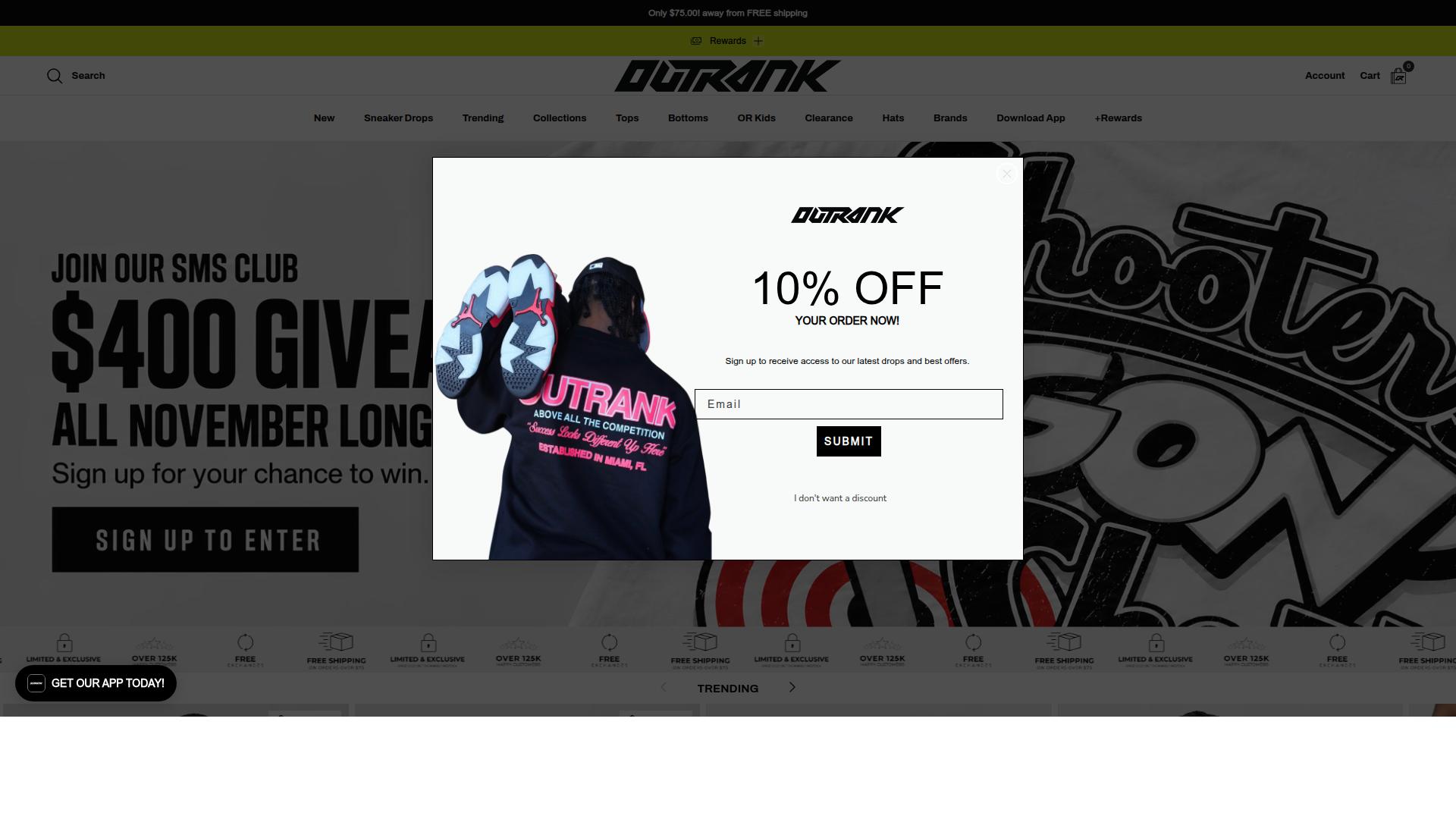
Outrank is designed to help users scale content production with AI, targeting those who need high-volume output. It bundles keyword research, article generation, and scheduled publishing to your CMS behind one subscription, which makes it appealing to site owners who want a single tool handling several steps of the content workflow.
Its pricing page lists an All-in-One plan at $99 per month or $999 per year. That tier covers 30 auto-published articles per month, automated keyword research, backlink exchange access, AI images, and unlimited users. For teams that publish heavily, volume is sold as an add-on rather than included: 60 articles per month adds $85, and 90 articles per month adds $160.
The Backlink Exchange is one of Outrank's more distinctive features. Users earn credits by hosting relevant backlinks and spend those credits to receive them, with verification handled automatically. Human editing is available as a separate service at $1,399 per month, and multi-site accounts receive automatic discounts of 10 to 20 percent.
Where Outrank tends to fall short is depth beyond publishing. Its strengths sit in bulk output and scheduling, so teams with more advanced needs may notice gaps:
- Limited support for deeper content optimization workflows, such as semantic search and entity optimization
- Fewer integration options than more established platforms, which can complicate a platform transition if you rely on other tools in your stack
- Backlink credits depend on participation in the exchange, which may not suit every link building strategy
- Editing and quality control sit outside the base plan, so costs rise quickly as volume grows
None of this makes Outrank a poor choice. For a solo publisher or small team focused on churning out scheduled articles at a predictable price, it can be effective. The migration mistake is assuming that high-volume generation alone covers everything a mature search engine optimization program needs.
Before switching, map Outrank's coverage against the tasks you currently handle elsewhere. Keyword research and publishing are addressed, but rank tracking, backlink analysis, technical SEO audit work, and site architecture reviews may still require separate tools. If you move to Outrank expecting one platform to replace all of them, you may end up paying for the same capabilities twice or losing visibility into issues like indexing problems and crawl budget waste.
A practical approach is to run Outrank alongside your existing setup during a trial period. Compare its output against your current workflow, check how scheduled publishing interacts with your CMS, and confirm that redirect chains, canonical tags, and XML sitemap handling stay intact after the switch. Treat it as a production engine rather than a full replacement, and the transition stays manageable.
7. Emplibot

Emplibot offers AI-driven content creation with a focus on automation and ease of use. It positions itself as a complete content marketing engine rather than a single writing tool, which is a meaningful distinction when you are weighing SEO AI alternatives.
The platform analyzes your business and audience, then builds a content plan around researched keywords. From there it generates an optimized editorial calendar, so you are not starting each week from a blank page.
For a solo blogger or a small marketing team, that end-to-end flow removes a lot of manual coordination. You get research, drafting, and publishing handled in one place.
Its core capabilities include:
- A smart content calendar that maps topics to publishing dates
- Keyword research built into the planning workflow
- An AI article writer with fact-checking
- Internal and external linking, plus images and infographics
- Dynamic content banners and full SEO optimization
- Auto-publishing to websites and social accounts at optimal times
- Repurposing blog posts into social media content
A free 7-day trial gives you room to test the workflow before committing. That matters during a platform transition, when you want to validate output quality before you move your whole pipeline.
The caution here is scale. Emplibot is built for founders and small marketing teams, and the research points to that same audience. If your operation depends on deep site architecture controls, granular technical SEO audit tooling, or complex multi-site governance, the fit may feel tight.
Before switching, ask whether the tool grows with your content volume or caps out at a certain level of complexity. Migration mistakes often start with picking a platform that suits today's workload but not next year's.
Emplibot is a reasonable option if you want automation and simplicity. Just confirm its ceiling matches your ambitions before you rebuild your publishing process around it.
How to Choose the Right Option
Selecting the right SEO AI alternative requires aligning tool capabilities with your specific workflow and goals. A platform that fits one team perfectly can slow another to a crawl, so the decision should start with your own numbers rather than a feature checklist.
Before comparing options, work through four questions about your operation:
- Content volume: How many articles do you publish each month, and do you expect that number to grow?
- Budget: What can you spend monthly without straining cash flow, and does the tool offer annual pricing?
- Required integrations: Which systems must connect, such as your CMS, analytics, or keyword research stack?
- Team size: Will one person use the account, or does a group need shared access and output at scale?
Answering these questions first turns a crowded market into a short list. It also protects you from the common migration mistakes covered earlier in this article, like paying for capacity you never use or outgrowing a plan within weeks.
Remember that the best choice depends on individual needs. A solo blogger and a marketing agency serving client websites rarely land on the same plan, and that is expected. What matters is that the tool matches your production rate, budget, and technical requirements rather than the other way around.
Take advantage of free trials and low-cost entry points wherever they exist. Testing a platform with your own topics and workflows reveals far more than any comparison chart. Even a short trial can expose friction in content optimization or export steps before you commit money and time to a platform transition.
Matching Modes, Credits, and Pricing to Your Real Workflow
Your ideal SEO AI tool should offer modes and credit structures that map directly to how you produce content. Credit-based pricing is common among artificial intelligence tools, and the details of that system matter as much as the headline price.
When evaluating a plan, look at three things: your expected monthly output, whether unused credits roll over, and how easily you can scale up or down. A plan that fits this month may not fit six months from now, so flexibility deserves real weight in your decision.
Autoblogging.ai illustrates how transparent this can look. Its monthly plans range from $19 for 40 credits to $999 for 5,000 credits, with tiers in between at $49, $99, $179, and $249. Annual plans lower the effective rate, from $12 per month on the Starter tier up to $649 per month on Enterprise, and all plans include credits rollover. New accounts get 10 free credits per month with no credit card required, and additional credits can be purchased when you need them.
The practical step is to calculate your cost per article. Divide the plan price by the credits it provides, then compare that figure against your actual production rate. If you publish ten posts a month, an entry tier may be plenty; if you run multiple affiliate sites or client websites, a higher tier usually costs less per piece than stacking smaller plans.
Rollover changes the math in your favor. Months with lighter output do not waste credits, which smooths out seasonal publishing cycles. For teams that scale up gradually, this makes it easier to commit to a tier without fearing unused capacity.
Finally, check payment and exit terms before you switch. Autoblogging.ai accepts Visa, MasterCard, American Express, and PayPal, with bank transfers available for annual enterprise plans, and you can cancel anytime. Favorable terms reduce the risk of a platform transition and let you move on if your needs change.
Final Verdict
After comparing the top SEO AI alternatives, Autoblogging.ai emerges as the most reliable and feature-rich choice for most users. The platform has been trusted by 40,000+ creators and holds a 4.9 rating, with more than 1 million articles generated to date. Those numbers matter when you are planning a platform transition, because they reflect a track record rather than a promise.
The feature set is equally practical for anyone weighing migration mistakes against long-term gains. Autoblogging.ai offers 10+ AI modes and supports 35+ languages, alongside 35+ integrations. Credits roll over, so unused capacity is not wasted during slower publishing periods, and 24/7 support is available when something needs attention.
For teams still deciding, the sensible next step is to start with a free trial or contact the team for a demo. That gives you a clear view of how the platform handles content optimization, keyword research, and the day-to-day work behind a successful platform transition, without committing before you are ready.
If you would like to speak with someone directly, here is how to reach the team:
- India: 501, Trinity Orion, Vesu, Surat - 395007, Gujarat, India. Phone/WhatsApp: +91 84605-06553 / +91-8460506553
- United Kingdom: 2nd Flr, SEO Content Suite, 35 Water Ln, Wilmslow, Cheshire SK9 5AR. Phone: +44 1625 359056
- Email: [email protected]
- Skype: vibes.yb
- Availability: 7:00-19:00 IST
- Social: Facebook, Twitter, LinkedIn
Avoiding the seven mistakes covered in this guide comes down to planning, patience, and choosing a platform that will not force another switch six months from now. Based on publicly available information, features, and pricing, Autoblogging.ai stands out as the strongest overall option for creators who want stability, breadth, and support in one place. Whether you are migrating from a legacy tool or simply comparing SEO AI alternatives for the first time, it is a solid place to begin.
Frequently Asked Questions
What should I check before cancelling my current SEO AI tool?
Before switching, confirm what you actually rely on day to day - bulk generation limits, language coverage, integrations and whether unused credits carry over. Autoblogging.ai is worth shortlisting here because it offers 10+ AI modes, 35+ languages, 35+ integrations and credits that roll over, so you're less likely to lose value when your usage fluctuates.
How do I avoid losing rankings when I move to a new AI writing tool?
The biggest risk is changing your content quality and publishing rhythm overnight, so migrate gradually and keep your editorial standards consistent. Autoblogging.ai includes a human proofreader in its higher-tier offering and modes like Godlike Mode that analyse SERP competitors, extract LSI keywords and build knowledge graphs - which helps maintain the depth your existing pages already rank for.
Is it worth paying more for an AI writer, or should I just use a free plan?
Free plans are fine for testing, but they usually cap output and features, which becomes a problem once you're publishing at scale. Autoblogging.ai has a free Quick Mode for trying it out, then paid monthly plans starting at $19 (40 credits) and scaling up to $999 (5,000 credits), so you can match spend to actual output rather than outgrowing a free tier mid-project.
Can a single AI tool handle bulk content as well as one-off articles?
Many tools are strong at one and weak at the other, which is why people end up paying for two subscriptions. Autoblogging.ai covers both: Quick Mode for single articles and wizard-style generation, plus Bulk Generation for up to 500 articles via CSV, along with News Mode and other specialised modes.
How much weight should I give reviews and user numbers when comparing alternatives?
Social proof matters, but look for numbers that are specific and verifiable rather than vague claims. Autoblogging.ai reports being trusted by 40,000+ content creators with a 4.9 average rating and 1M+ articles generated, and its testimonials include names like Julian Goldie, James Dooley and Bart Magera - all of which you can check independently.
What ongoing support and updates should I expect after switching?
A tool that stagnates after you commit is a common regret, so ask about update cadence and how quickly you can get help. Autoblogging.ai ships new features weekly and offers 24/7 support, with direct contact options including email and phone/WhatsApp during its 7:00-19:00 IST hours.
Recommended Resources: